YouTube
How to Publish Your Podcast on YouTube
- Filed
- Jul 31
- Field agent
- Deirdre Tshien
- Tags
- [YouTube] [Podcasting]
- Length
- 4 MIN
Abstract
A step-by-step guide to converting audio podcasts to video (via PodViz/RSS.com) and tips for growing a podcast on YouTube.
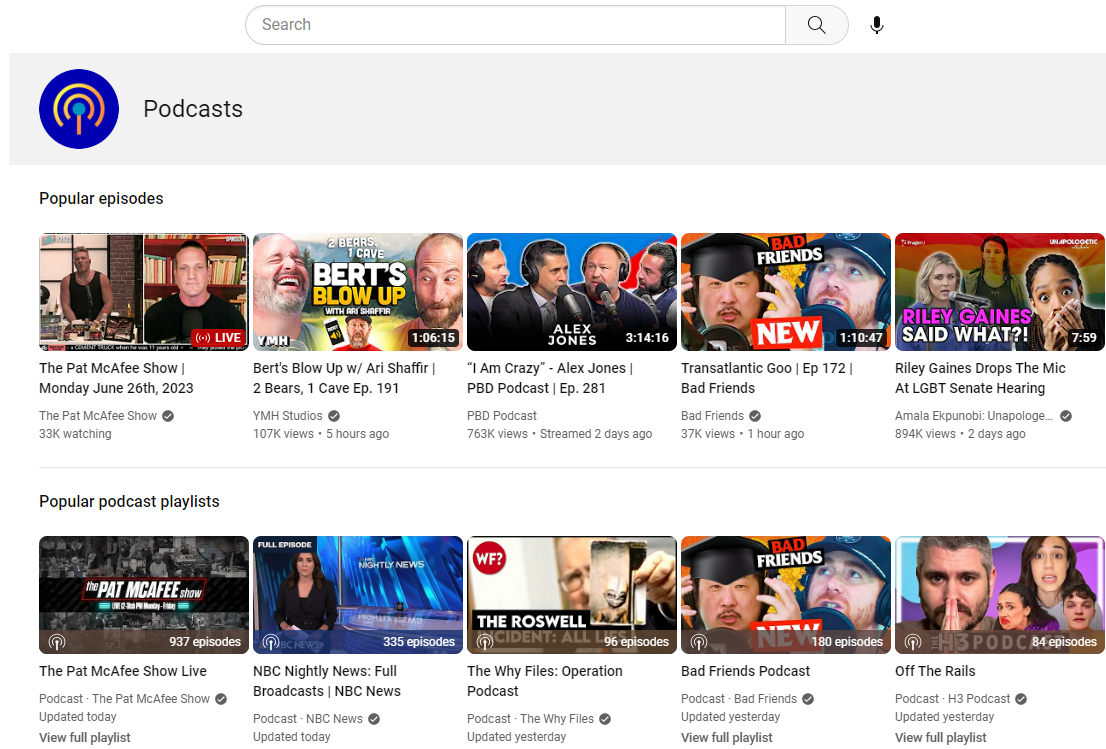
Last year, Forbes reported that YouTube is the top preferred platform for listening to podcasts. Even YouTube doubled down on the idea by recently introducing a way for people to start a podcast on YouTube.
If you’re a podcaster, chances are you have either started publishing your episodes on YouTube or have at least thought about it.
In this post, you’ll learn how to easily convert your audio files into video files that can be uploaded to YouTube and also get actionable tips to help your YouTube episodes get discovered by new followers and fans!
Publishing your podcast on YouTube
Here are the two most common ways podcasters publish their shows on YouTube:
You record your show on camera or use a tool like Riverside.fm and upload the video files to YouTube
You convert your existing audio episodes into video files that you then upload to YouTube
If you’re not comfortable on camera, or you have a large back catalog of audio-only episodes, the easiest way to get your podcast on YouTube is to use a free audio-to-video conversion tool like PodViz.
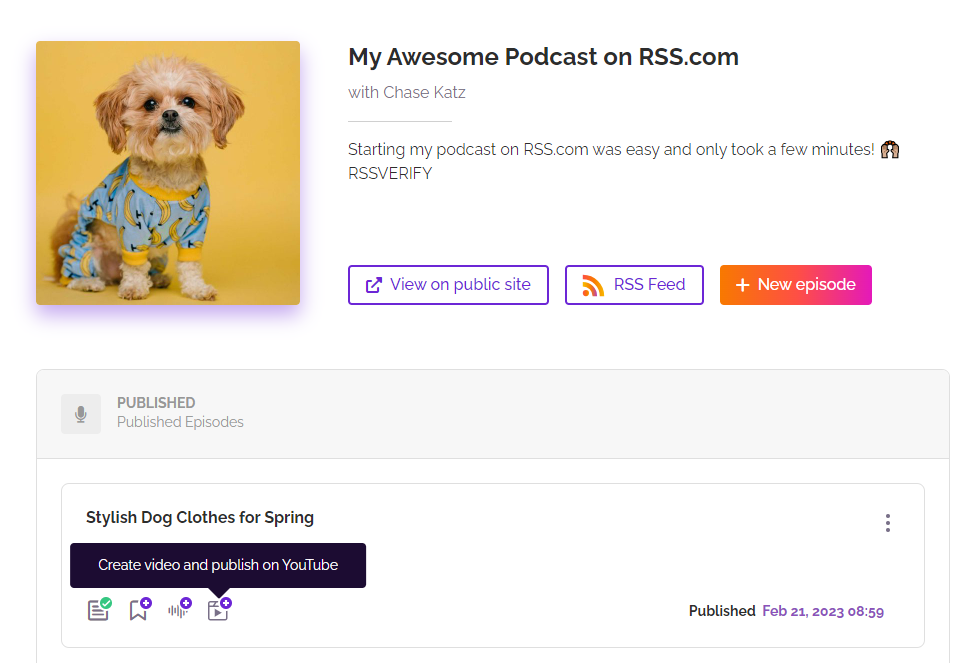
How to convert your podcast episodes into video
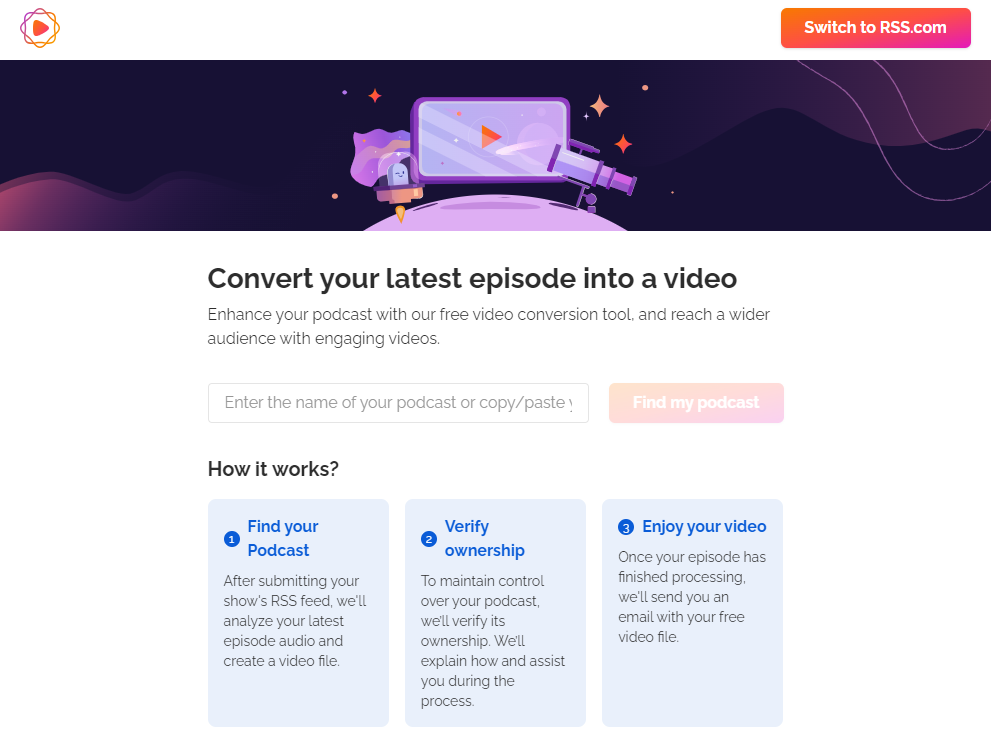
Step 1. Head over to www.RSS.com/PodViz
Step 2. Enter your podcast’s RSS feed and click “find my podcast”
Step 3 - PodViz will send you an email asking you to verify that you own the podcast
With PodViz, the title and description you used for your podcast episode will be pulled from the RSS feed and populated into your YouTube video description. If you have added chapters to your episodes, they will also be automatically added to your YouTube video.
Below is an example of an audio episode that was converted to video using PodViz:
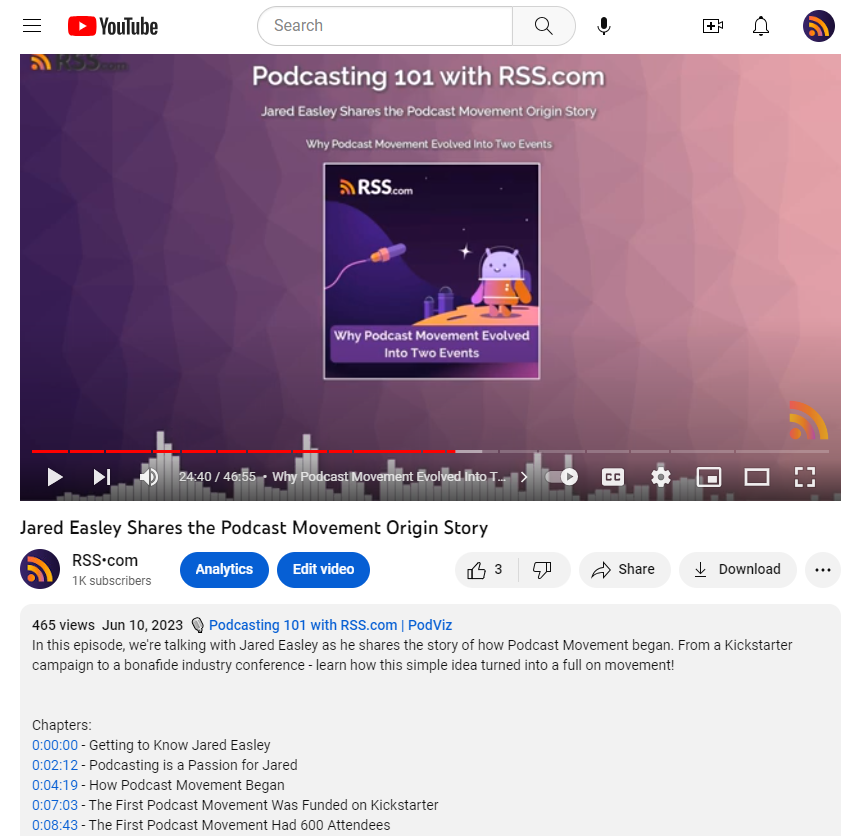
As you can see from the image above, the chapters, description, and podcast episode title were all pulled from the episode along with the cover art to create a moving picture. And, it only took a couple of clicks to convert the episode.
PodViz was created by the podcast hosting company RSS.com. If you already have an RSS.com account, you can just log into your account, and in addition to converting your audio episodes, they will sync and automatically upload your episodes to the playlist you choose on your YouTube channel.
✨ Need a free RSS.com account? Sign up here: https://dashboard.rss.com/auth/sign-up/
Tips for getting the most from YouTube
Once you’ve started your podcast on YouTube and have added episodes, here are a couple of tips that will help you generate more views and listeners:
1. Create solid titles for your episodes
Bonus points if you can add some keywords in there that people are already searching for online. Questions and “How to” titles are doing really well on YouTube right now because a lot of people heading to the platform are trying to learn something.
2. Don't dismiss the description area
That is golden real estate. Add in the keywords related to the show, helpful advice or things your listener should be paying attention to, and your name and social links for yourself and any guests that appear in the episode.
The right AI writing tool can do the heavy lifting here, drafting a description optimized for YouTube along with keywords and tags.
3. Add monetization into the mix
Think beyond Google Adsense. Besides the fact you need 1,000 subscribers and 4,000 watch hours, not everyone is accepted into the Google Adsense program. Luckily, you have more options. You could add affiliate links to your description, create a Patreon or donation link, sell sponsorships to your show, and so much more.
4. Create attention-grabbing thumbnails
While your video can give you an automatically generated thumbnail, for the best results you should create a custom thumbnail that will catch the attention of new viewers.
5. Don't underestimate the power of engaging with your audience
Whoever is tuning in and leaving comments, comment back! Talk to the people in your audience. Add polls in the community tab of YouTube. The more engagement, the better.
6. Finally, be consistent
The most important thing you can do if you hope to grow your audience on YouTube, or any platform for that matter, is to be consistent. Keep loading episodes, and keep putting yourself out there. It may not happen overnight, but if you put in the work, you will be rewarded!